
An organized business record
Keep your goals, customers, offers, priorities, decisions, assumptions, constraints, and open questions in a consistent structure.
A local business workspace for your AI
Groundwork keeps the context behind your business in one organized workspace on your computer. Codex or Claude Code can use that reviewed context to give you more relevant help without starting from zero in every conversation.
One-time purchase · Local files · Separate AI account required · 30-day guarantee
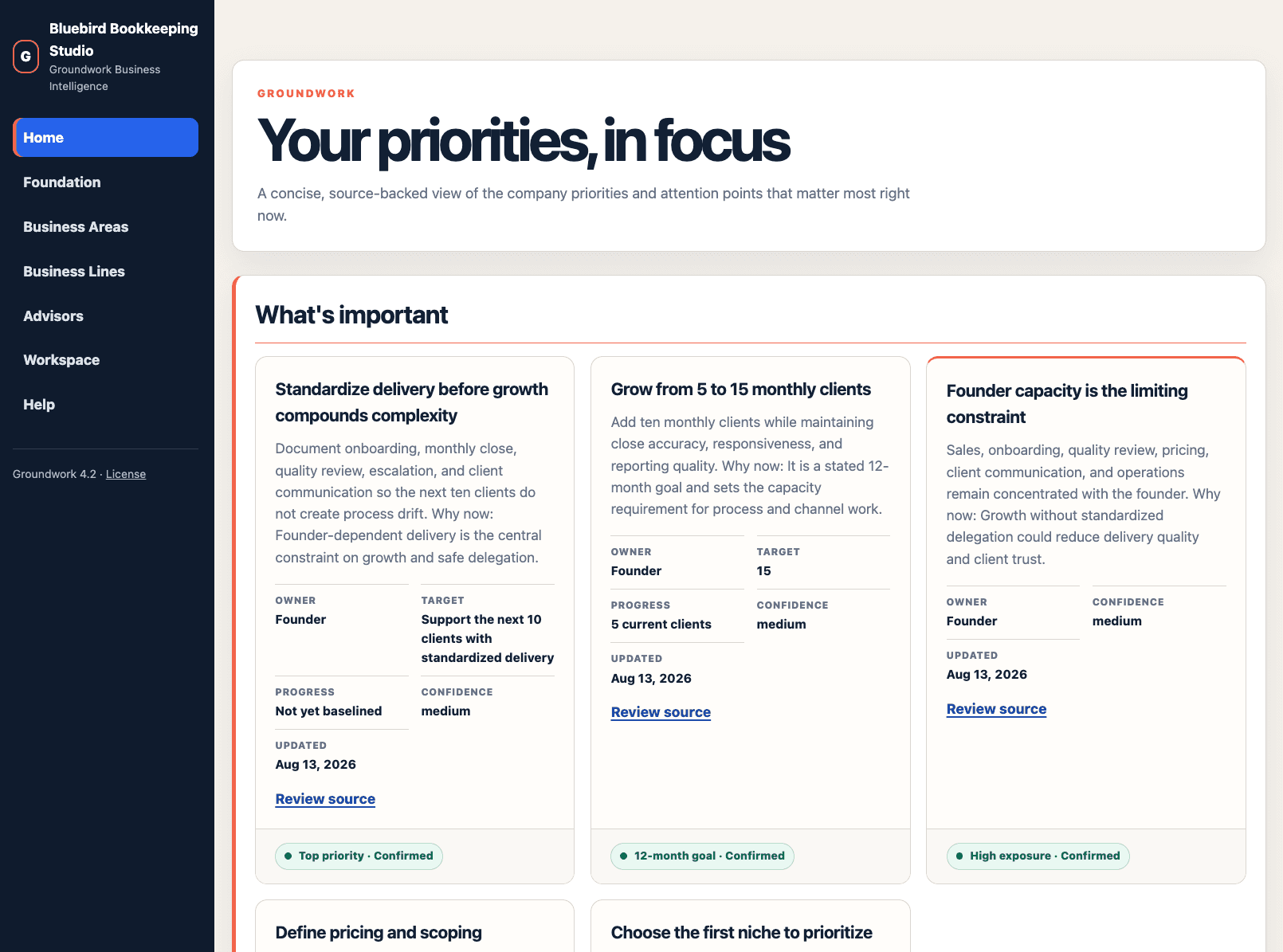
The local website lets you see and correct the business context available to your AI.
Keep your goals, customers, offers, priorities, decisions, assumptions, constraints, and open questions in a consistent structure.
Review the information through a local website and correct it before using it in AI-assisted work.
Use included instructions and workflows to add updates, examine decisions, prepare plans, and preserve what changes.
Add your website, PDFs, planning notes, offer details, metrics, customer insights, and previous decisions.
Groundwork places information into clear business sections and keeps assumptions, sources, and unknowns visible.
Ask questions, compare options, create plans, and save approved decisions without rebuilding the same background every time.
Groundwork helps your AI examine work against the goals, customers, constraints, and information you have approved.
Groundwork files remain in the local folder on your computer. Information you choose to share with an external AI provider is handled under that provider's plan, privacy policy, and data settings.
One user. One local working copy.
You receive a downloadable zip containing the Groundwork business structure, local website, setup instructions, workflows, and advisor framework.
No. The documented setup is to download and unzip the folder, open it in a supported AI desktop interface, and type “Build Groundwork.”
The documented starting points are Codex in the ChatGPT desktop app and Claude Code in Claude Desktop. The interface must be able to read and update a local folder.
You can review and purchase Groundwork on your phone, but setup and regular use require a Mac or Windows computer.
Your working copy stays in the Groundwork folder on your computer. Content you share with an external AI provider may be processed under that provider’s settings and policies.
Groundwork is a $50 one-time purchase. No recurring 8bit subscription is required to keep using it.
Keep the context behind your work organized, reviewable, and ready to reuse.
One-time purchase · Local files · Separate AI account required · 30-day guarantee
Workspace Wizard + Website Hosting
Use the Workspace Wizard to plan a custom workspace, focused tool, or complete website for your AI Agent to build. When it is ready, publish the site with 8bit Website Hosting, keep it private, or make it public and share it with anyone.