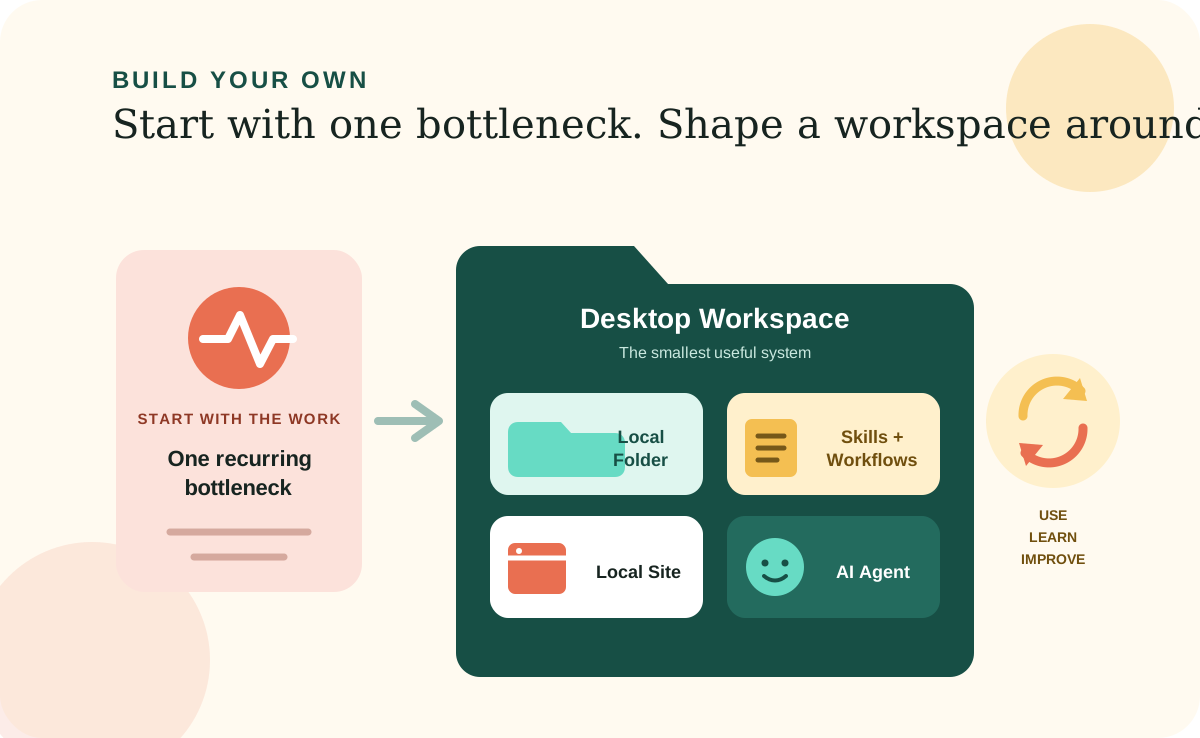
The software your business needs most may be too specific for a software company to build. It may solve a process only your team has, handle an exception only your customers create, or connect information that only makes sense inside your business.
Many small teams have felt stuck between stretching generic tools and funding a traditional custom application. AI-assisted development makes another option more accessible: build a focused Desktop Workspace around the way you actually work, then keep shaping it as the work changes.
Start with the work
Your bottleneck is a better starting point than a feature list.
Begin with a job that repeatedly costs time, creates mistakes, or depends too much on memory. Look for the handoff that always needs an explanation, the spreadsheet that has become a fragile system, or the information your team keeps hunting down before it can make a decision.
The goal is not to recreate every tool you use. It is to build the smallest useful system that removes friction from one meaningful piece of work. Once that system proves itself, the next improvement usually becomes obvious.
The structure
A Desktop Workspace has four parts.
Each part has a clear job. Together, they give the AI enough context to do useful work while keeping the information and instructions in a structure you can understand and control.
Local Folder
The home for the complete workspace: its information, instructions, site, and supporting files.
Skills and Workflows
Plain-language rules that capture how important work should be done and help the AI repeat it consistently.
Local Site
A clear, browser-based view of the information so people can review and use the workspace without digging through raw files.
AI Agent
The desktop software that reads the folder, follows its instructions, and changes the workspace with you.
Why it matters
You can keep the working files and documented knowledge together.
A useful business system is more than an interface. It contains decisions, operating rules, preferences, exceptions, and context. When those things live only in old conversations or inside someone else's platform, they are difficult to inspect and easy to lose.
In a well-designed Desktop Workspace, the working information and the AI's instructions stay together in files you control. You can back up the folder, inspect what the AI is using, and test whether another compatible tool can work with it. Portability still depends on keeping required software, credentials, and external services documented. Your ability to reuse software, fonts, images, data, and other included material also remains subject to their applicable licenses and terms.
Build the first version
Make one useful thing, then learn from using it.
Choose one bottleneck. Gather the information needed to understand it. Write down the rules you already follow. Then ask an AI Agent to help you create the smallest workspace that makes the job clearer or faster.
The first version does not need to predict everything. It needs to be useful enough to put into the work. Real use will show you which instruction is unclear, which information is missing, and which improvement deserves to come next.
Know the boundary
A focused workspace is not the right answer for every system.
A Desktop Workspace can be a strong fit for internal tools, individual work, and small-team processes. Bring in experienced technical, security, or legal help when the system handles regulated data, high-consequence decisions, heavy simultaneous use, complex permissions, or critical integrations. The smallest useful system should also be the smallest system you can operate responsibly.