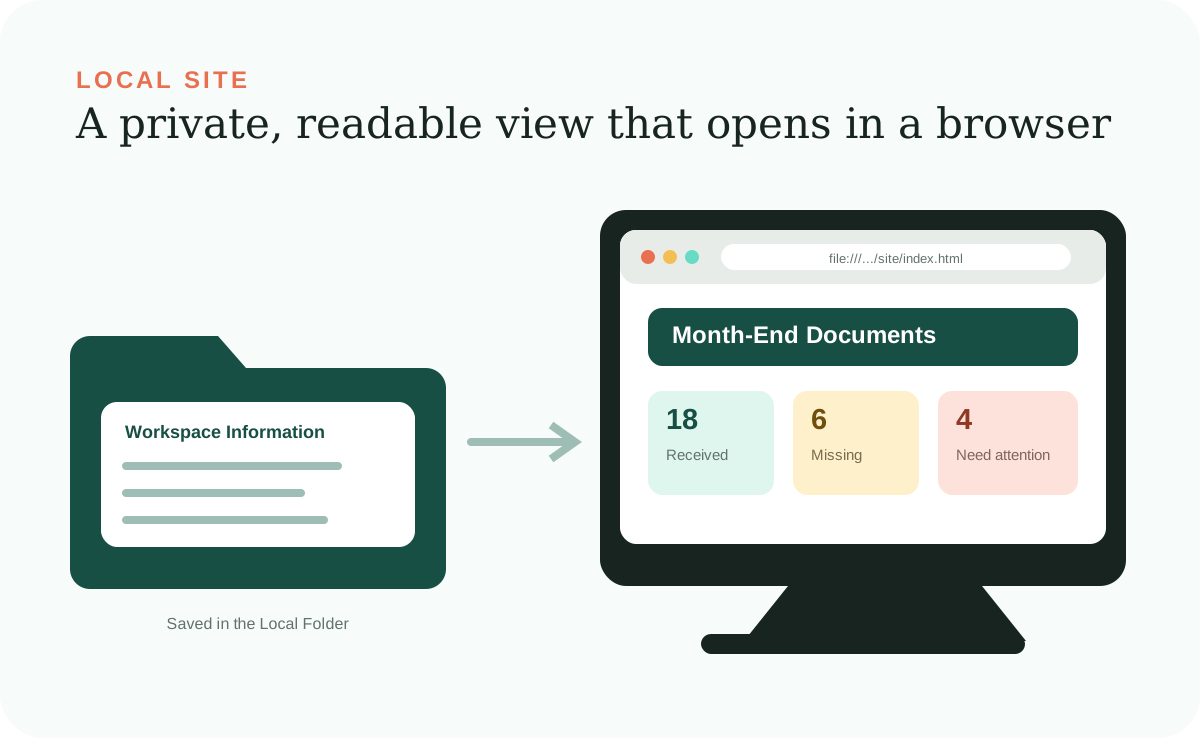
A Local Site is a small website that lives inside your Desktop Workspace and opens in a normal web browser. It turns the workspace's saved information and instructions into pages, lists, status cards, and navigation that are easier to understand than opening raw files one by one.
“Local” describes how the site is stored and opened, not an absolute privacy guarantee. It may be on one computer or in a synced or shared folder, but it is not publicly hosted by default. The basic version in the guide can open from a file address that begins with file:// without a web-hosting account.
A view, not the vault
The Local Site presents information; it should not be its only home.
The Local Site might show current counts, client pages, recent activity, and suggested requests. The dependable records still belong in the data area of the Local Folder. This makes it possible to rebuild a page, change the design, or create a different view without losing the underlying information.
When a fact changes, the AI Agent saves the record first, updates every affected page, and checks that the site agrees. If a page is stale, correct the source information when necessary and refresh the page instead of treating the display as a separate record.
What it can show
The site can make both the work and its rules visible.
A useful home page answers what needs attention now. Supporting pages can show records, statuses, references, known unknowns, instructions, Workflow stages, and recent work summaries. The goal is not to display every file. It is to make the current state understandable.
Workspace Information
Readable records, dates, statuses, and details used in the work.
Rules and references
Saved preferences, boundaries, source notes, and whether information is confirmed or uncertain.
Workflow progress
The current stage, what is waiting, and which human decision is needed next.
Recent Activity
Plain-language work summaries naming the request, inputs, changes, and checks for completed tasks.
Browser limitations
A file-based site is intentionally simple.
Pages opened with file:// work well for linked documents, generated summaries, and read-only dashboards. Browser security rules and the lack of a server can limit features that fetch other local files, save form submissions, manage logins, call databases, or run complex application routing.
If the workspace later needs those features, it may require a small local server or a hosted application. That is a design change with new setup, access, privacy, and maintenance decisions—not an invisible upgrade to the original file-based site.
Local does not mean isolated
Opening the site is local; asking an online AI Agent for changes is different.
Viewing the Local Site does not automatically send its pages to a hosting company. But when an AI Agent reads a relevant file to answer or make a change, your prompt and that file content may be sent to the AI provider for processing. Review the provider's plan, privacy settings, retention rules, and client obligations before storing sensitive information.
Phone access is also not automatic. A site living on one computer usually needs extra network sharing or hosting before another device can reach it. That changes the security and maintenance requirements, so treat it as a separate decision rather than assuming local pages are already available everywhere.
Honest interaction
A page should not pretend to perform an action it cannot perform.
A basic Local Site made of files may be a read-only review surface. If a button does not really save, send, or delete something, do not label it as though it does. Show a suggested plain-language request the user can give the AI Agent instead.
This protects trust. People can tell the difference between reviewing information, asking the AI Agent for a change, and authorizing an external action. If you later add real forms or connected services, the site should explain what will happen before data moves or a consequence occurs.
Build the useful journey
Start with a few connected pages and test realistic information.
Choose the home page and the pages needed for the first repeated job. Connect them to the saved Workspace Information, then test every link, long names, missing fields, empty states, warnings, and narrow browser windows. A polished empty mockup is less valuable than a simple site that stays accurate with real records.
You can describe design changes in normal language. Ask the AI Agent for calmer colors, clearer labels, different navigation, or more readable spacing. Design remains important because a Local Site is the surface people use to understand the system.